Monitor, desktop or laptop.
Choose Computer monitor for each separate display. Desktop computer covers one tower or one all-in-one computer. A laptop is its own item. Add only the devices going.
Old computer, spare monitor, printer that’s ready to go, gone from the curb. Choose your electronics, see the exact price and book by 2pm for same-day pickup.
400+ reviewsacross Google & TrustpilotFirst item / additional item
Book by 2pm for same-day pickup.
Choose items or browse the full catalog.
The old setup can go
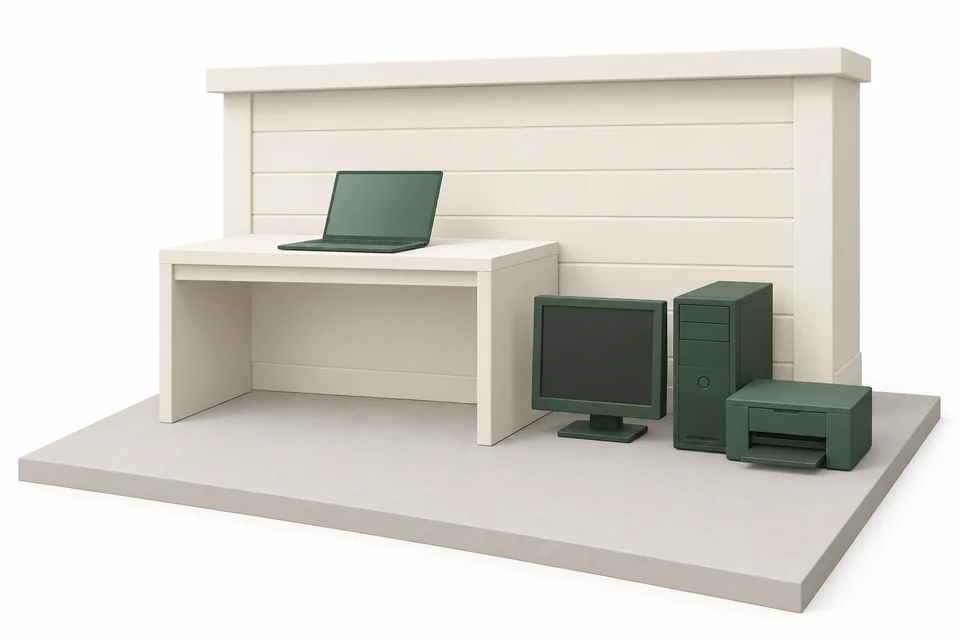
The new laptop is working. The old monitor, tower and printer are still taking up a corner. Give the equipment you no longer use a pickup day, with the price settled before anyone arrives.
Choose each device and see the total online. Loading, transportation and disposal are included. No visit just to find out the price.
Book by 2pm at your pickup address for same-day pickup, or choose a future date shown at checkout. Prepare your devices and have them outside before pickup.
Get a booking confirmation, a text when your hauler is on the way and photos when the pickup is done. Your retired equipment is one less thing to keep track of.
Choose the right items
A separate monitor and tower count separately. Small devices and cables have their own box option. Choose what is actually leaving so your price matches the pickup.
Choose Computer monitor for each separate display. Desktop computer covers one tower or one all-in-one computer. A laptop is its own item. Add only the devices going.
A printer with a built-in scanner belongs under Printer. A floor-standing copy machine belongs under Office copier. The shape matters more than the brand.
Use Box of electronics for small devices, cables and chargers together in one box. For a large or heavy box, unusual contents or separate batteries, send a photo and confirm the fit before booking.
First item / additional item
The highest first-item price applies once. Every remaining item uses its additional-item price. Loading, transportation and disposal are included. Applicable sales tax is shown before payment.
Choose my itemsReady for pickup
Prepare devices while they are still indoors and connected. Move them to an accessible outdoor pickup spot once they are ready to leave.
Dropcurb provides removal. Data erasure or certified data destruction is not included. For a device with a battery or condition concern, contact us before booking to confirm whether it can be collected.
A house, a condo or an apartment. Choose an accessible outdoor spot that works for your property. You arrange the move outside; we take it from there.
Save the files you want to keep. Follow the manufacturer’s instructions to sign out of accounts and erase personal information. If a device will not turn on, resolve any data concerns before handing it over.
Unplug the equipment and count the devices in your booking. Set aside any accessories you are keeping. Group the items being collected so the right equipment is easy to identify.
Follow the readiness instructions in your confirmation. Add a location photo and access notes. You arrange any carrying from inside your home or building; we load and take away the prepared items outside.
Confirmation when you book. A heads-up before arrival. Photos when it’s done.
Your confirmation comes straight to your phone.
The local disposal guide
Electronics removal in Bridgeport: start with the item’s collection rules, then choose the arrangement that fits.
Reviewed · Sources below
Electronics are refused in both toters, and Bridgeport's published route for televisions, computers, monitors and other devices is the City's annual household hazardous waste collection day, backed by Connecticut's electronics recycling law.
The handoff matters
The green toter refuses hazardous and medical waste, flammable material, paint or any liquids, fluorescent bulbs and tubes, and electronics or metal, and the Transfer Station refuses items containing hazardous waste. The annual collection day takes the chemicals and the electronics, and waste oil and antifreeze go to the Weigh Master at the scale.
Sanitation division page with the green toter rules, the bagging requirement, the set out and retrieval windows, the refused list and the missed pickup processTransfer Station page with the address, hours, brown bag guidelines, the accepted and refused material lists and the alternate facilities for refused loads and paintHousehold hazardous waste page with the 2026 collection day date and location, the accepted chemical and electronics list and the refused itemsUse a permitted, accessible outdoor spot. Arrange the move out of your home, keep shared access clear and follow your confirmation’s readiness instructions. Check with your building about access or staging limits before booking.
See your pickup preparationCustomer reviews
Selected customer reviews. Counts checked September 2026.
Before you book
Electronics removal, from choosing your item to pickup day in Bridgeport.
A computer monitor is $79 as the first item and $19 as an additional item. Choose the actual devices and quantities to see your combined price online. A separate desktop tower and monitor are separate items. Loading, transportation and disposal are included; review the total and any applicable tax before payment.
Book by 2pm at your pickup address for same-day pickup. Choose from the dates shown at checkout and have the prepared items outside according to your confirmation. We text you when your hauler is on the way and provide photos when the pickup is done. The booking is for a day, not an exact arrival time.
Desktop computer covers one tower or one all-in-one computer. Add a separate monitor, printer or laptop as its own item if it is going too. For small devices, cables and chargers together, choose Box of electronics and check the description before booking.
Data erasure and certified data destruction are not included in Dropcurb removal. Back up the information you need, then follow the manufacturer’s sign-out and reset instructions before pickup. If a device cannot be erased or contains sensitive business information, arrange suitable data handling before giving it away. Completion photos confirm the pickup, not data destruction.Official guidance
Yes. Box of electronics is an existing option for small devices, cables and chargers together in one box. A monitor, desktop computer and printer each have their own item option. Send a photo before booking for a large or heavy box, unusual contents or separate batteries so we can confirm the fit.
To the City's Household Hazardous Waste Collection Day, which in 2026 runs Saturday, September 26 from 9 a.m. to 1 p.m. at Blackham School, 425 Thorme Street, and accepts laptops, computers, monitors, televisions and VCR or DVD players. The state also publishes a town by town list of residential electronics collection locations.Official guidance
Connecticut's electronics recycling law covers computers, printers, televisions and monitors, requires municipalities to provide residents with a free and convenient way to recycle them, and has manufacturers finance the transportation and recycling. Retailers have to tell customers about the recycling options.Official guidance
The City of Bridgeport's Public Facilities Department collects residential household trash and recycling through its Sanitation and Recycling Divisions, with collection transported to a regional intermediate processing center. The general contact line is 203-576-7130.Official guidance
Trash is collected every week from the green toter, and recycling is collected every other week from the blue toter on the same day as the trash. The green toter goes out up to 24 hours before the pickup and comes back in within 24 hours, and recycling goes out starting at 4 p.m. the day before.Official guidance
No curbside bulky pickup is published by the City. The green toter refuses bulky items such as furniture and mattresses, and items placed outside the toter are a listed reason a toter is left behind. The City's route for large items is the Transfer Station on Asylum Street.Official guidance
Leaves, brush and grass clippings are mandatory recycling items in Connecticut and must not be mixed with garbage. The City runs brown bag leaf collection on the recycling day, taking leaves curbside by 6 a.m. in brown paper bags, lidless cans or open top cardboard boxes, and the Transfer Station takes leaves and yard debris at other times of year.Official guidance
The Transfer Station accepts no more than two tires per trip, so a household set of four needs two visits. The City's household hazardous waste page says tires are not taken at the collection day and directs residents to Public Facilities at 203-576-7130 for disposal instructions.Official guidance
The Transfer Station is the route for furniture, mattresses, appliances and separated metals, with mattresses and wood doors cut in half first. Construction material, cabinets, concrete, sheetrock, shingles, siding, toilets and sinks are refused there, so those loads go to All-American Waste in Stratford or City Carting in Milford, and hazardous material waits for the annual collection day.Official guidance
One less thing on your list
Choose what’s going. See the price. Clear that corner in Bridgeport.